
Technical SEO Audit Checklist for 2026 | RankBoost Labs
Free technical SEO audit checklist for 2026 — check indexing, site speed, headings, and links step by step, with the exact process pros use to fix rankings.
TECHNICAL SEOSEO GUIDE
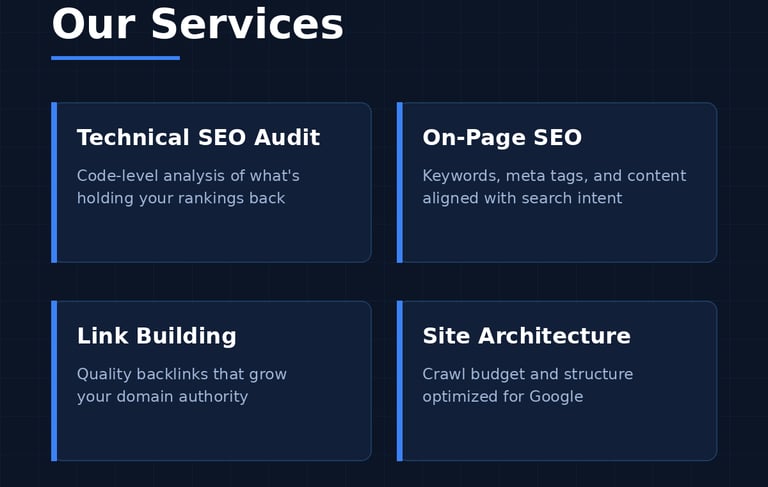
Most websites lose rankings not because of bad content — but because of technical problems Google finds before your content is even read. This checklist covers the exact steps we follow in every technical SEO audit at RankBoost Labs. Work through it top to bottom, and you'll know precisely what's holding your site back.
1. Check If Google Can Find Your Pages
Start with the basics: is your site even visible to Google?
- Search site:yourdomain.com on Google — the number of results shows how many pages are indexed
- Compare it with your actual page count. Big gap? You have an indexing problem
- Submit your sitemap.xml in Google Search Console if you haven't already
- Check the Pages report in Search Console for "Not indexed" pages and their reasons
2. Verify Your Site Loads Fast
Speed is a confirmed ranking factor, and slow sites lose half their visitors before the page even opens.
- Test your site on Page Speed Insights (free Google tool)
- Aim for a score above 90 on mobile — mobile matters more than desktop now
- Compress images before uploading; oversized images are the #1 speed killer
- Check Core Web Vitals in Search Console once data appears
3. Fix Your Heading Structure
Google reads headings to understand your page hierarchy.
- Every page needs exactly ONE H1 — usually the main title at the top
- Use H2s for sections, H3s for sub-points — never skip levels
- Include your focus keyword naturally in the H1
4. Audit Your Titles and Meta Descriptions
These are your page's first impression in search results.
- Title: 10-60 characters, includes your focus keyword
- Meta description: around 150-156 characters, written to earn the click
- Every page gets a unique title and description — duplicates confuse Google
5. Check Your URL Structure
Clean URLs help both users and search engines.
- Keep slugs short and keyword-rich: /technical-seo-audit beats /page?id=847
- Use hyphens, not underscores
- Avoid changing URLs of live pages — every change breaks existing links
6. Hunt Down Broken Links
Broken links waste crawl budget and frustrate visitors.
- Use a free tool like Ahrefs Webmaster Tools or Broken Link Checker
- Fix or redirect every 404 you find
- Check internal links after any page renaming
7. Confirm Mobile-Friendliness
Google indexes the mobile version of your site first.
- Open your site on an actual phone — is everything readable without zooming?
- Buttons should be easy to tap, text at least 16px
- Test in Chrome DevTools mobile view for different screen sizes
8. Secure Your Site with HTTPS
- Your URL must start with https:// and show a padlock
- If any page loads over http://, fix it — browsers flag it as "Not Secure" and Google demotes it
The Bottom Line
A technical SEO audit isn't a one-time task — smart site owners run this checklist quarterly. Most of these checks take minutes, but fixing what you find can move rankings within weeks.
Want a professional audit instead? At RankBoost Labs, we go deeper — crawl budget analysis, schema markup, log file review, and site architecture mapping. Get your free SEO audit today and see exactly what's holding your website back.

RankBoostLabs
Technical SEO built on code-level audits and organic revenue growth.
Sitemap
Home
Services
Case Studies
About
Get a Quote
Request Audit
hello@rankboostlabs.com
Technical SEO Audits Worldwide
© 2026 RankBoostLabs-No vanity metrics. Just code-level execution.
Crawl budget & revenue optimization